The itch
The internet is an all-you-can-eat buffet and nobody asks what you're hungry for. You open one tab for the news and surface forty minutes later, mildly cross about someone you don't even follow.
Projects / 02
All projectsYour attention is the product. Two experiments to take it back.
How much time do you have?
The attention economy runs on a simple trade: the service is free, and what you pay with is your attention. Feeds, notifications and autoplay are tuned to take as much of it as they can. Most of the answers on offer (timers, focus modes, digital detox) hand the effort back to you and leave the machine untouched.
We tried a different move: put a filter between the person and the feed, and let the person hold the dial. Attention Firewall works on how the feed behaves. Trump Blocker works on what the feed shows. Both share one rule: you decide what gets in, and you can always see what was kept out.
Experiment 01 / 02
Next: Trump Blocker ↓At a glance
Hyper Compass
The internet is an all-you-can-eat buffet and nobody asks what you're hungry for. You open one tab for the news and surface forty minutes later, mildly cross about someone you don't even follow.
A browser extension. Tell it what you want less of and what you want more of. It blurs the first, makes room for the second and keeps count.
It never locks you out. "Show anyway" is one click away. You are the boss of your attention, not a rule.
In use
Research
The closest study we found is about notifications, not feeds. We borrow the principle, not the result.
237 people got their notifications in three batches a day. They felt more attentive, more productive and less stressed.
UsefulThe group with no notifications at all saw few of those benefits and reported more anxiety and fear of missing out. Hence the quick pauses and "Show anyway".
UsefulBehind the scenes
One slider, not forty switches: Minimal, Balanced (recommended) or Strict.
A popup with an ON switch and quick pauses of 5 minutes, 30 minutes or "this site", because sometimes you do want the news.
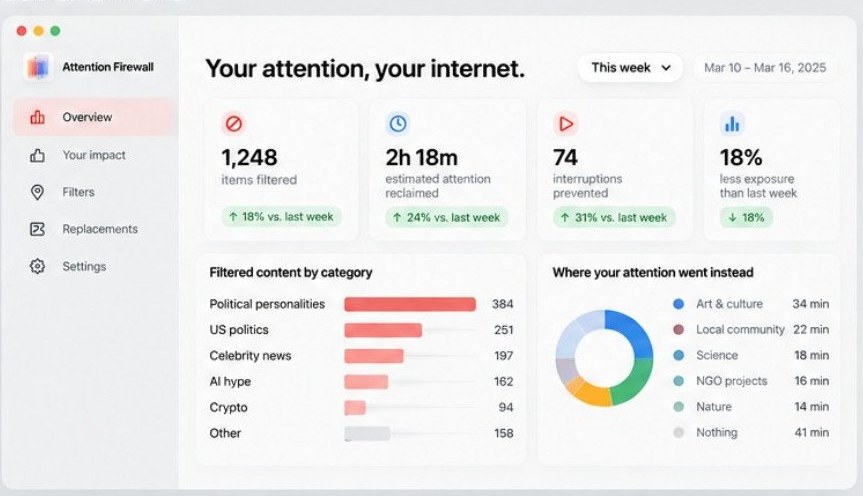
A dashboard that talks about what you gained, not what you lost: attention reclaimed, interruptions prevented, where your attention went instead.
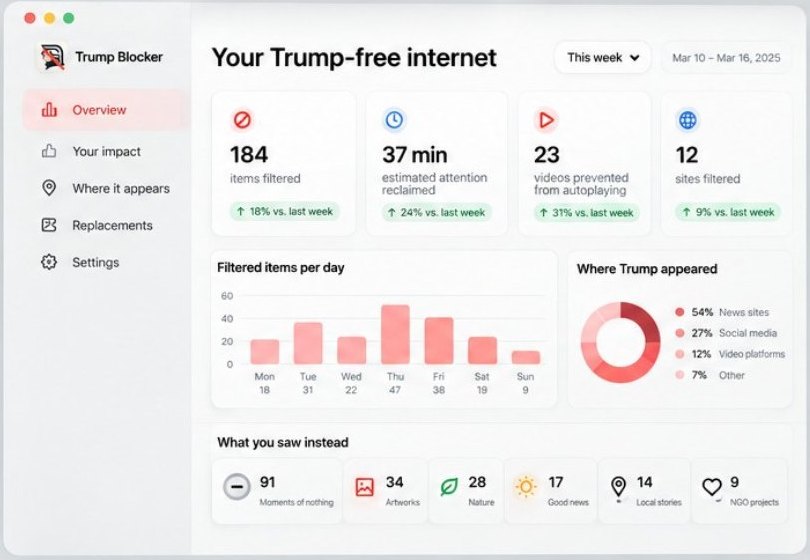
The numbers on the screens are placeholders. We will show real ones when there is something real to count.
Pick what you want less of (political personalities, crypto, AI hype, influencer drama) and what you want more of (science, local community, good news).
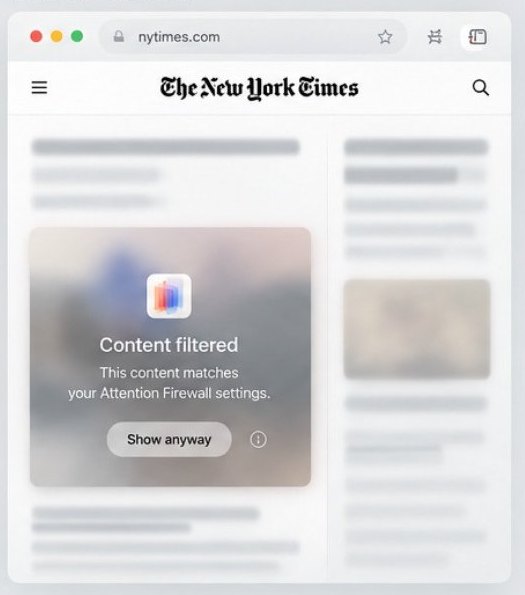
Matching content is blurred behind a "Content filtered" card. One click on "Show anyway" brings it back.
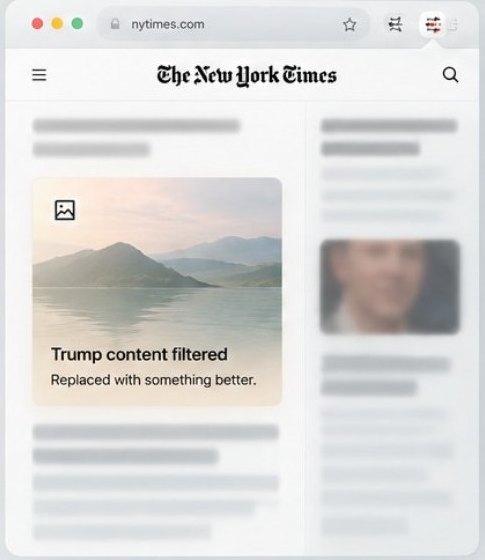
Instead of a hole, something else: art, nature, good news, local stories, NGO projects. Or nothing, which is also an answer.
The principle
Your attention is not a free resource for whoever shouts the loudest.
What we learned
Grouping notifications helped. Switching them all off left people more anxious. So the Firewall dims things; it never builds a wall.
"Show anyway" and the quick pauses are not a flaw. They are what makes a filter something you keep using.
Trump Blocker filters one topic and works today. The Firewall asks the harder question: who chooses the topics?
Honest bits
Detection will slip. Some things will be hidden by mistake and some will get through. That is why the door stays open.
It has to read the pages you visit. That is exactly the power we would distrust in someone else. The design rule: everything stays in your browser, nothing goes anywhere.
Nobody has tried it. It is an interface concept. Next step: build it small and live with it for a couple of weeks.
An experiment, not a product. The point is what we learn.
Sources
Experiment 02 / 02
Back: Attention Firewall ↓At a glance
Hyper Compass
A name you never asked to see turns up in the headline, the feed, the video, the search result and the ad. Avoiding one topic means avoiding the internet.
A Chrome extension that hides, blurs or pauses anything that mentions it. You pick how much friction you want, from a quiet gap to a full-page stop.
It isn't about the person. It's about who decides what reaches you. Swap the name for anything that wears you out and it still works.
In use
How it works
Add keywords. Put "!" in front for exact capitals, so MAGA only blocks MAGA. Add exceptions, like "trump card".
Hide leaves a small marker. Blur keeps the page recognisable. Pause swaps it for a calm card.
If the name is in the title, headline or URL, the whole page is blocked. A red screen, a "Go back" button and an "Enter anyway" that makes you wait 10 seconds.
Behind the scenes
We looked at six tools that already filter attention, from site blockers to muted words on social networks. None blocks one topic across every site with different levels of friction. That is the gap this fills.
The three modes came from that: nobody wants the same amount of absence all the time.
Filtering a topic by hand, site by site, doesn't hold up.
Offer three degrees of intervention instead of one on/off switch.
A working prototype, tested against a page of edge cases in an automated browser, to find the faults before using it every day.
Hiding a word is easy. Hiding the right chunk around it is the design problem.
Built and run in a real Chromium browser against a test page full of traps. Here is what held up and what didn't.
Infinite scroll and live feeds: what loads later gets checked too. Tweets, videos, news cards, search results.
WorksCapitals, accents and cousins: "TRUMP", "Trump's", "trumpismo", "Mar-a-Lago".
WorksLink URLs and the alt text of photos.
WorksTRUMPF, the machine maker, stays visible. So does "trump card".
WorksNot recognised. A photo or a video without text looks exactly the same.
LimitA few milliseconds before the content disappears. Odd sites can hide too much or too little.
LimitThe principle
A filter is only honest if you can see what it hides.
What we learned
Hide, blur or pause. Some days you want a gap, some days a nudge, and some days the news.
TRUMPF and "trump card" broke the first version. That is why there is an exceptions list and a "!" for exact capitals.
Ten seconds before "Enter anyway". Enough to ask "do I really need this?", short enough to be yours to decide.
Honest bits
You may miss something you need. Hiding a topic has a cost. So there is a pause mode, a per-site off switch and the 10-second door.
It reads every page you visit. Nothing is sent anywhere. Everything happens in your browser. Without that, we would not trust it either.
Big sites change their code often. YouTube, X, Reddit, Facebook and Google need real-life testing, not just a test page.
Not published. Sharing it is an open decision, and the name is also a trademark that a store listing may ask us to change.
An experiment, not a product. The point is what we learn.
Sources
Next